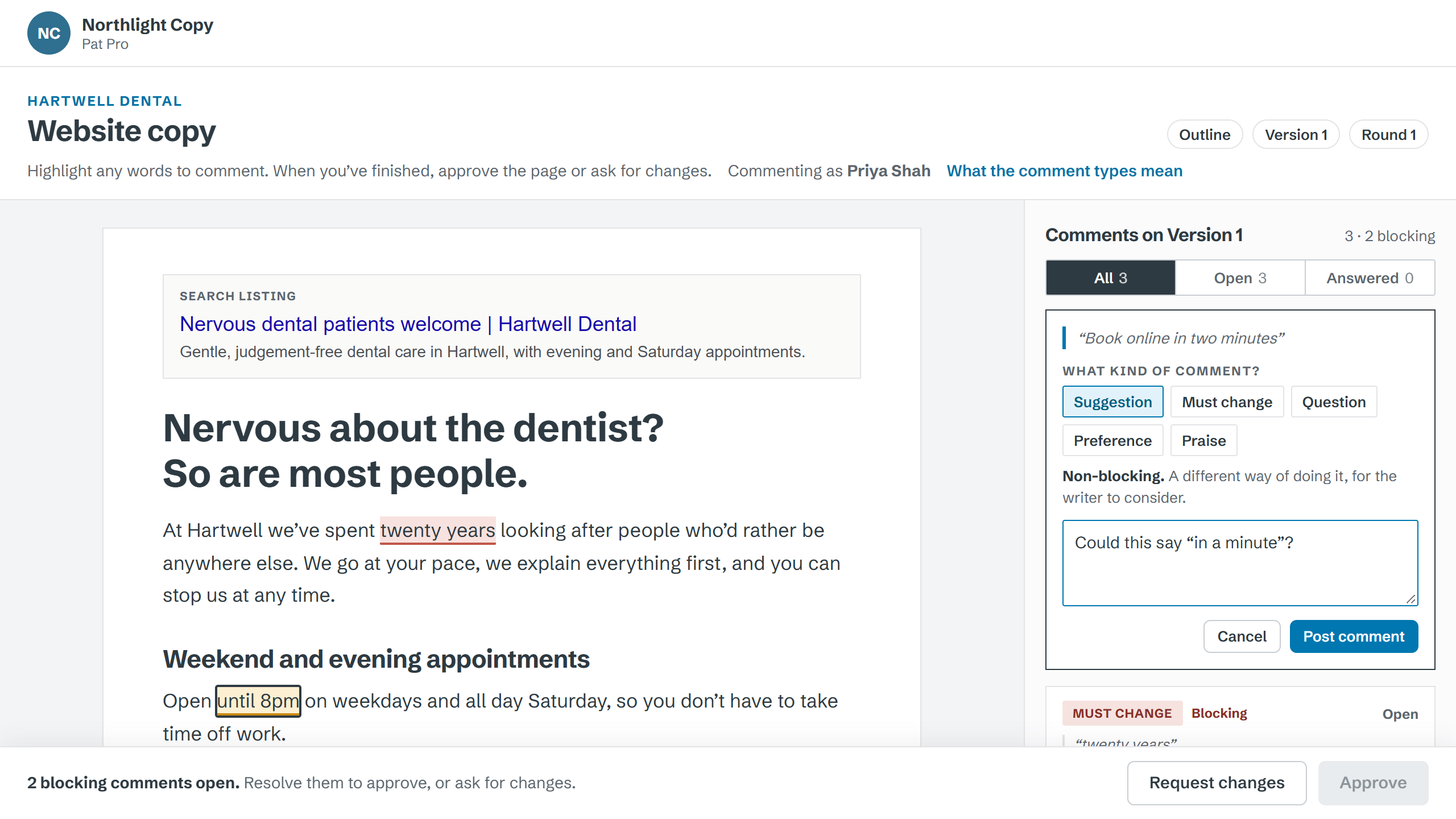
Labelled comments
Five labels, chosen by the client as they comment. “Must change” blocks approval. A preference doesn’t.
Send your client a link, not a Word document. They comment on the words, you reply, and every version and approval is on record.
Your clients never need an account. Included with ProCopywriters Pro.
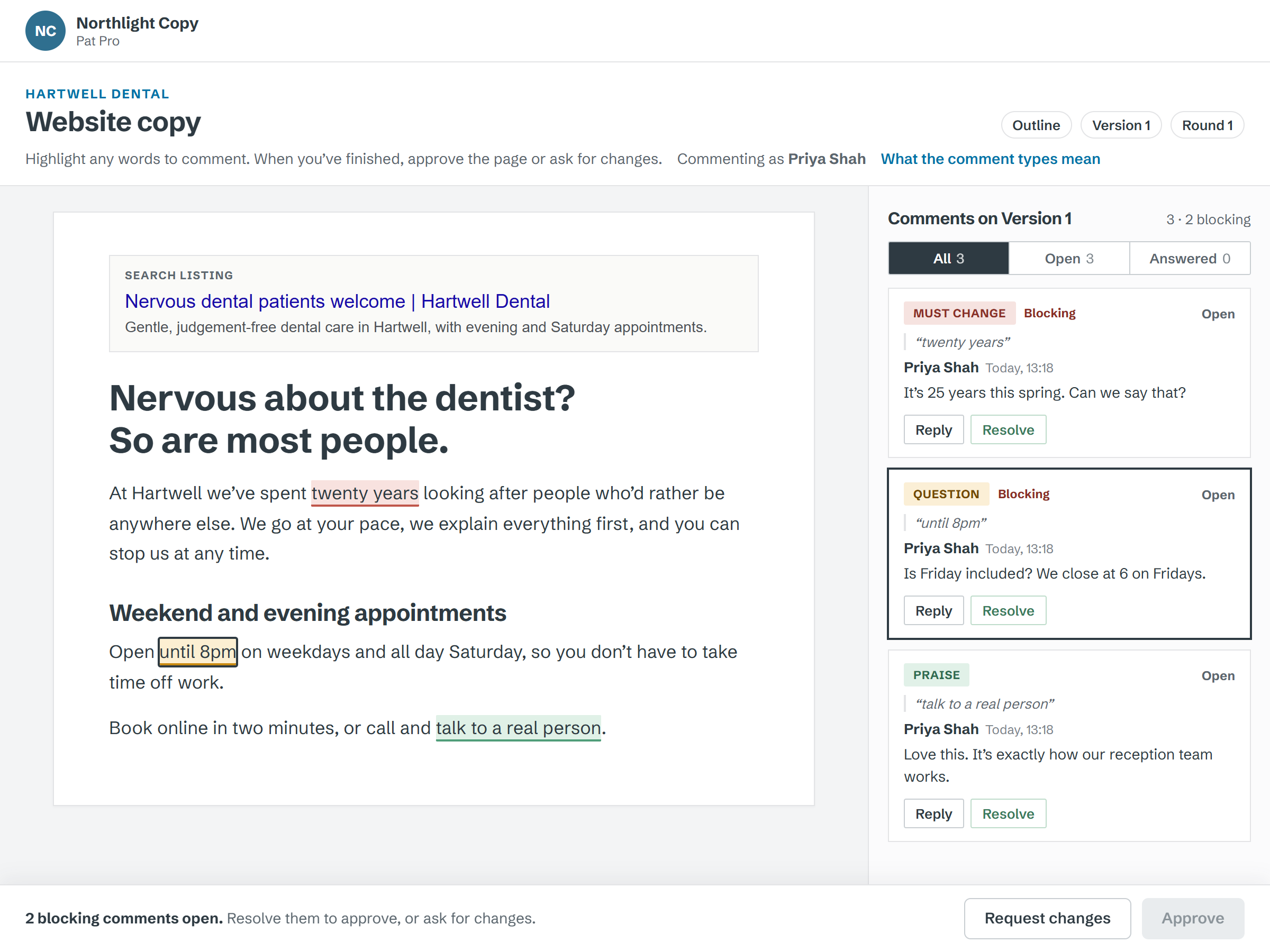
Feedback in five places, two people disagreeing in the margins, and no record of who approved what. Content puts it all in one place.
Clients label every comment: Must change, Suggestion, Question, Preference or Praise. You know what’s blocking and what isn’t.
Versions are numbered and rounds are counted against what you agreed, so scope creep is visible to everyone.
Each page is approved by name, date and version, stage by stage.
Pages, stages and who signs off what. Import a whole site map in one go. Templates Coming soon
A clean editor with checks for consistency and readability. Collaborators can proofread. Suggested edits Coming soon
Your client opens it, highlights copy and comments. No account, your branding.
Mark each comment done, send the next version, and collect sign-off page by page.
Five labels, chosen by the client as they comment. “Must change” blocks approval. A preference doesn’t.
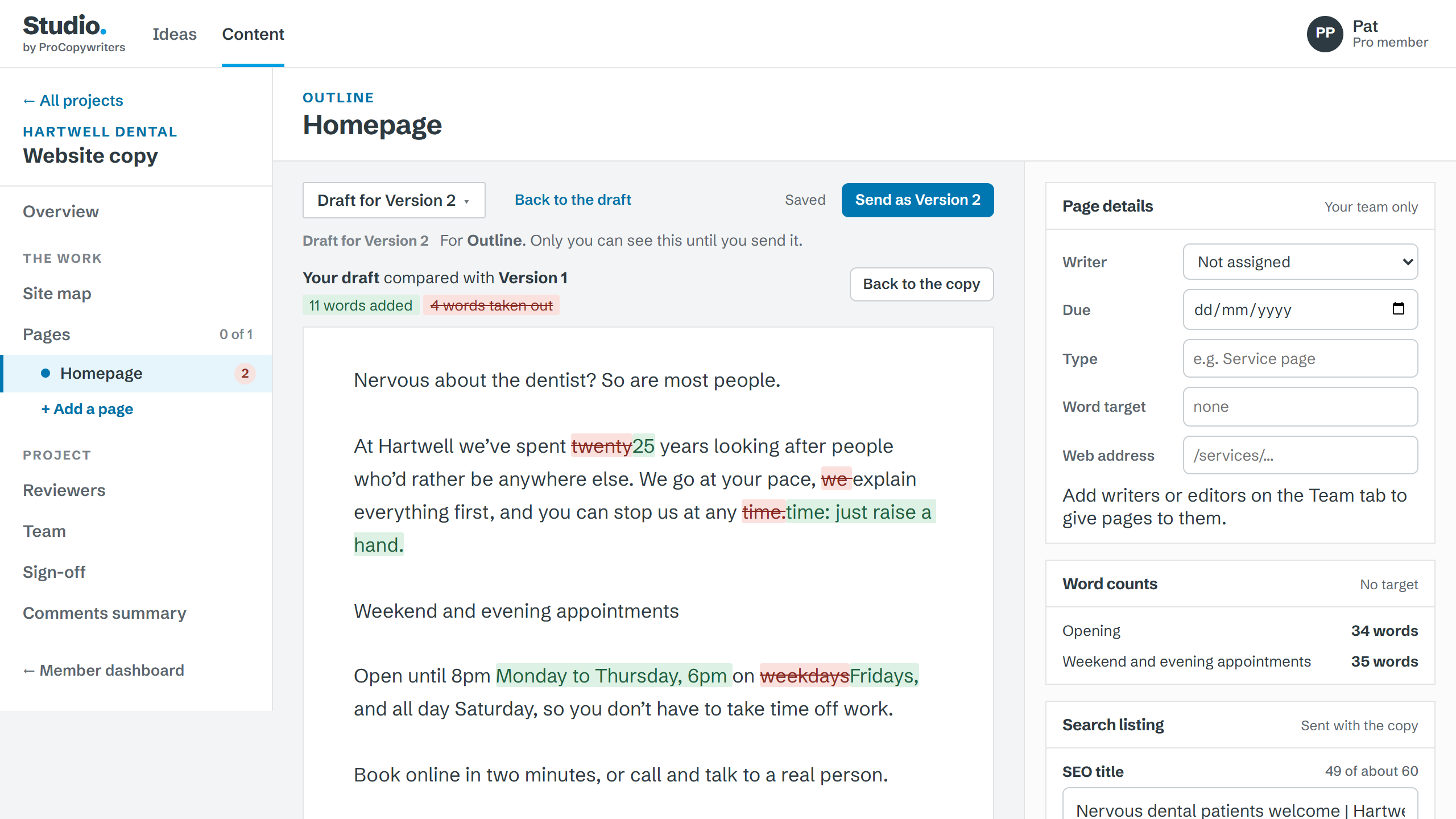
Show what changed and why. Rounds count against what you agreed.
Present two or three routes, reveal them one part at a time, and let the client pick or rank them on the link.
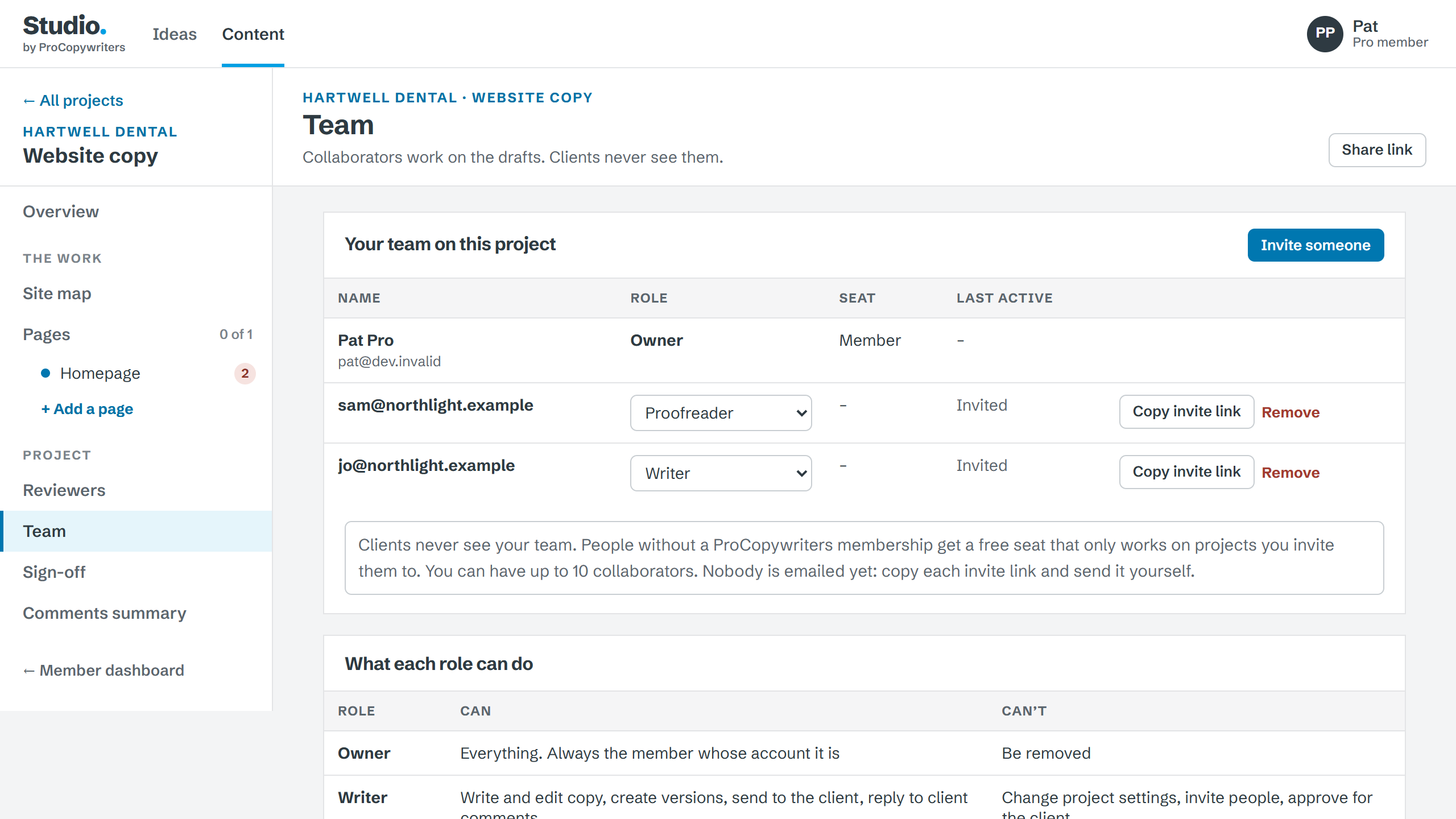
Invite writers, editors and proofreaders. Their notes never reach the client.
Content is included in ProCopywriters Pro membership.
£14.99 a month
Content, or Ideas and Content together as Studio, for writers and teams who don’t need a membership. Leave your email and we’ll tell you when they open.
Nothing else: one email when it opens.Before the copy: timed exercises, cards and grids to find the idea. With CopyDeck, free for anyone.
No. They open a link, add their name the first time they comment, and that’s it.
Yours: your business name, logo and colour. ProCopywriters isn’t shown, apart from a link to the privacy notice.
Yes. People without a ProCopywriters membership get a free seat that only works on projects you invite them to.
Yes: as Word, HTML or Markdown, or copy it as plain text. Google Docs export is coming soon.
Your projects are kept for 12 months, so they’re there if you come back.
Included with ProCopywriters Pro.