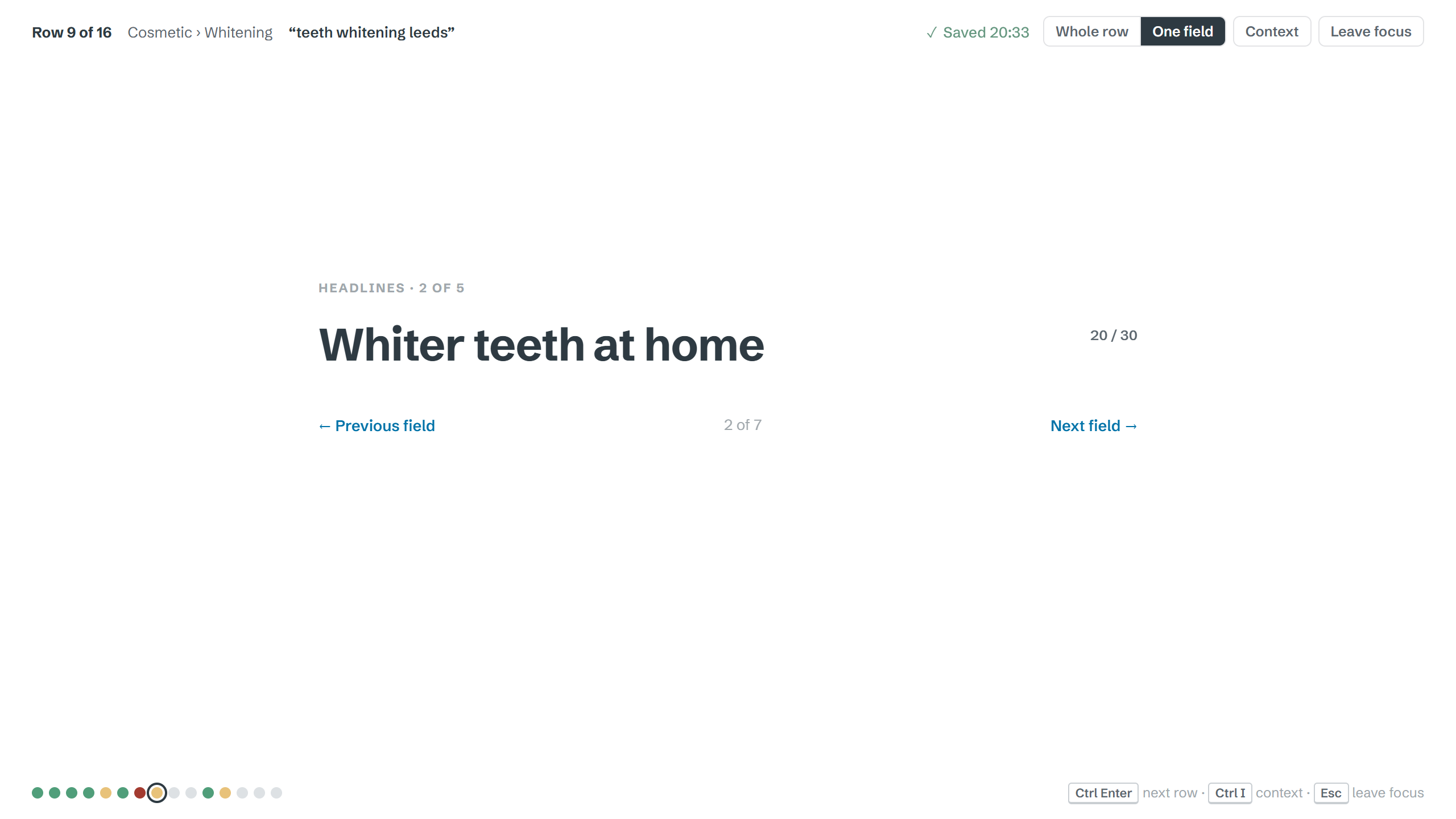
Focus mode
Hide everything but the words. One quiet line tells you where you are.
Product descriptions, SEO metadata, content audits, ad variants. Bring in the spreadsheet, write one row at a time on a calm, blank page, and send the same sheet back. You’re working in a spreadsheet without having to look at one.
Works with Excel and CSV. Included with ProCopywriters Pro.
| A | B | C | D | |
|---|---|---|---|---|
| 1 | SKU | Product | Description | Chars |
| 2 | CH-104 | Ergo Mesh Chair | Our ergonomic office chair offers adju… | 212 |
| 3 | CH-105 | Ergo Mesh Chair XL | Built for taller frames, this version… | 196 |
| 4 | DS-220 | Standing Desk Oak | 0 | |
| 5 | DS-221 | Standing Desk Walnut | Rich walnut veneer on a twin-motor… | 248 |
| 6 | LM-010 | Desk Lamp Brass | A warm, dimmable lamp that… | 131 |
| 7 | LM-011 | Desk Lamp Black | 0 |
Solid oak, and the kind of standing desk you won’t want to hide. Twin motors lift it from sitting to standing in under twenty seconds, quietly enough for a call
164 / 200Clients and agencies love a spreadsheet: one row per product, page or ad, with columns for every field. It’s a great way to plan. It’s a miserable place to write.
One field at a time, in big type, on a page. Not a box the width of a thumbnail with your sentence scrolling off the edge.
A live character count against each column’s limit. Titles, meta descriptions and ad headlines turn red before you go over, not after.
The product name, keyword, URL and notes sit beside what you’re writing, so you don’t lose your place hunting across columns.
Hundreds of SKUs, the same fields each time, a different product every row.
Strict character limits, a keyword per row, and pages that all need to sound different.
Keep, cut or rewrite, with a reason and a new version, page by page.
Headlines and descriptions by ad group, each with its own limit.
Several versions per send, with preview text, tested at length.
Source text in one column, the new version in the next.
Upload Excel or CSV, or paste straight from a spreadsheet. Tell Rows which columns you’re writing and which are context. Google Sheets link Coming soon
Each row opens as a page. Context sits to one side; the fields you’re writing take the rest.
Character counts per field, and a dot for every row: done, started, over or empty.
Download it in the format it came in, columns and order untouched. Your client never knows you left the spreadsheet.
Hide everything but the words. One quiet line tells you where you are.
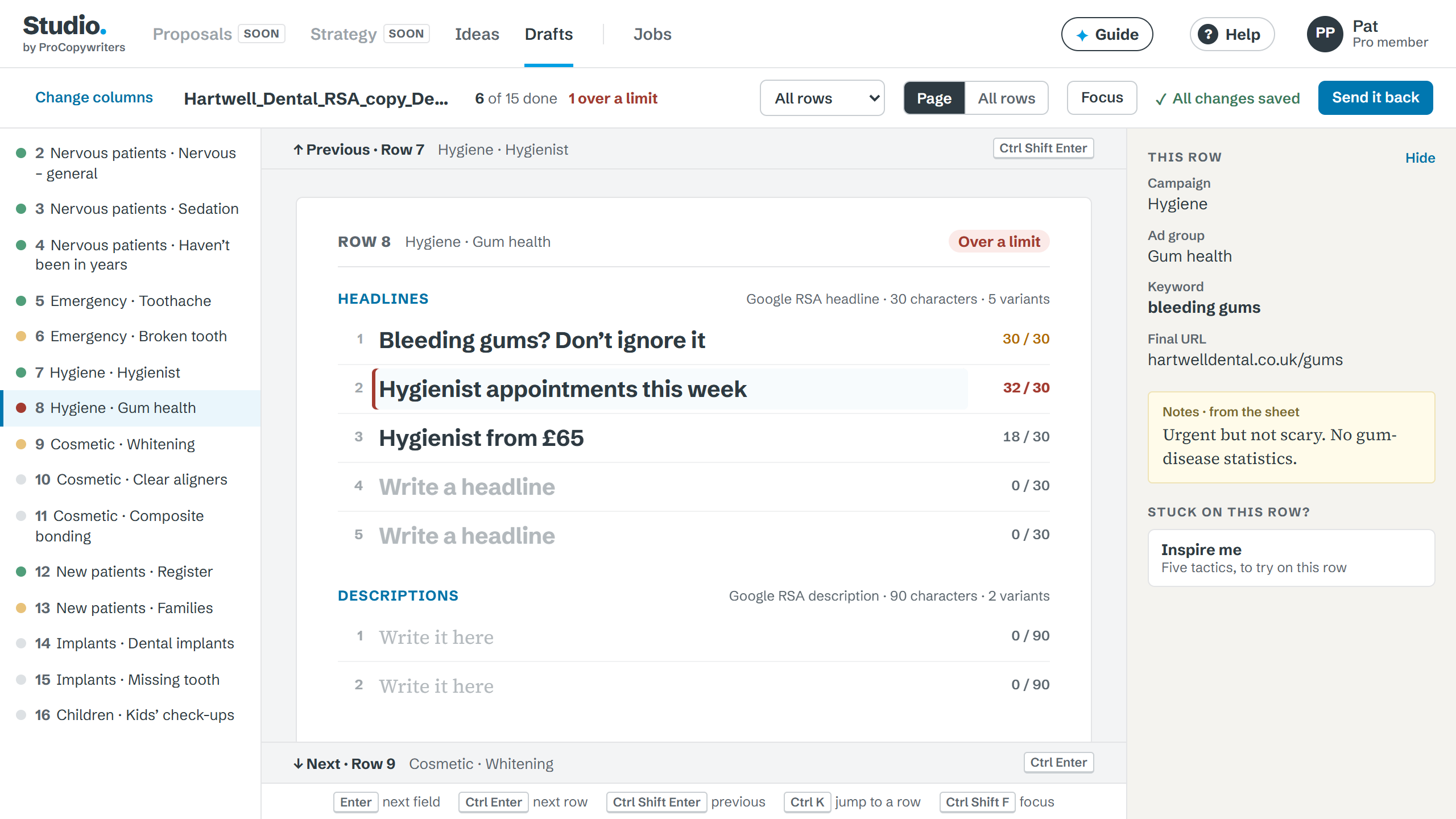
Set a limit once, or pick a platform’s, and it applies to every row. Over the limit goes red.
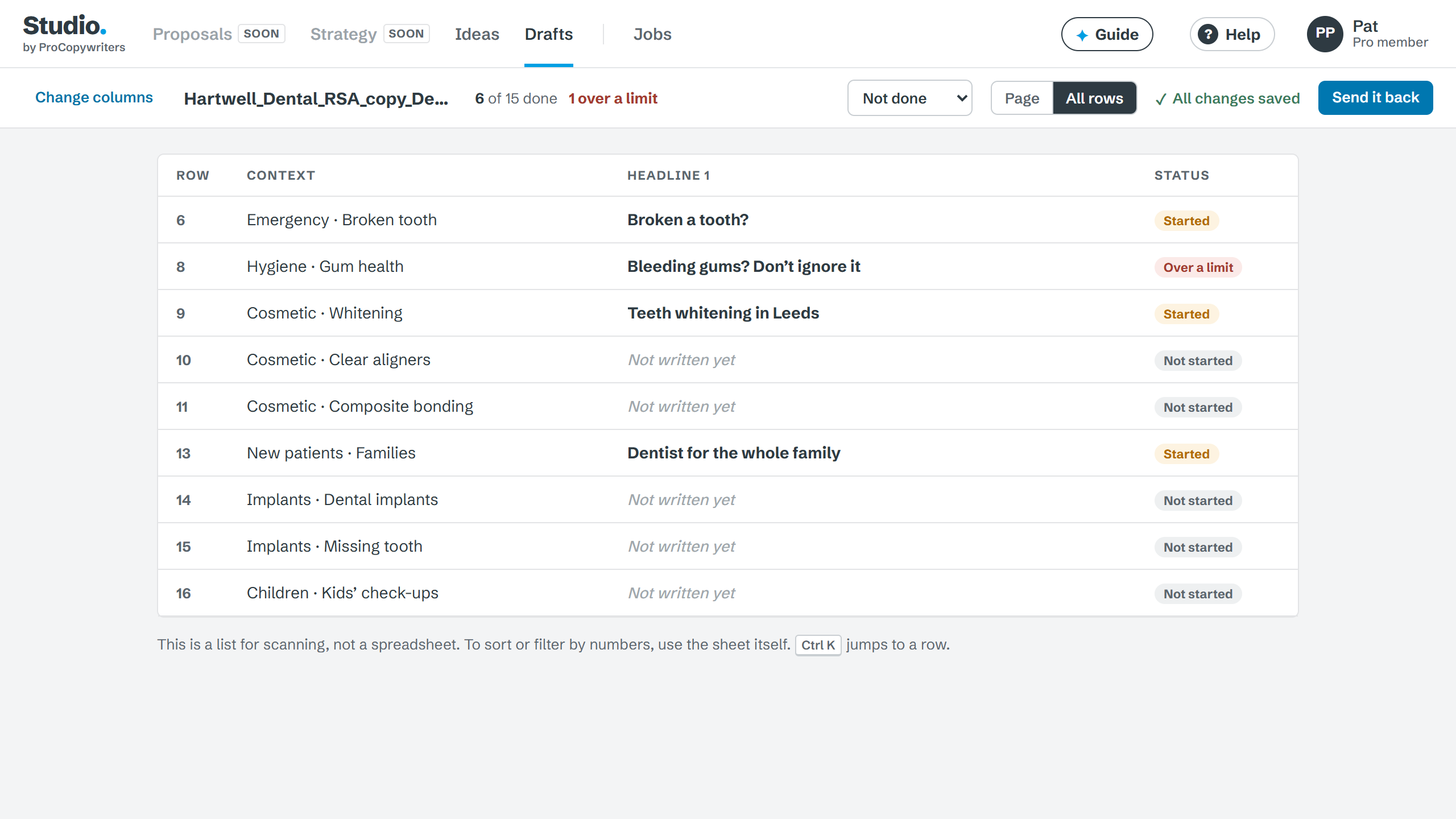
Show only the rows not done, or over a limit, and move between them.
Send the rows to your client as a link, like any other Drafts project, and collect comments and sign-off row by row.
Rows is part of Drafts, which is included in ProCopywriters Pro membership.
£14.99 a month
Drafts, or Ideas and Drafts together as Studio, for writers and teams who don’t need a membership. Leave your email and we’ll tell you when they open.
Nothing else: one email when it opens.Drafts does the same for pages, emails and campaigns: write it, send a link, get sign-off.
No. You download the same format with the same columns, in the same order. Anything you didn’t write is left exactly as it was.
Not directly yet. Download your Google Sheet as Excel (.xlsx), bring it in, and upload the finished file back into Google Sheets. A direct link is coming.
Up to 2,000 rows and 8 MB a sheet. You only ever see one row at a time.
Yes. Each column you’re writing can have its own character limit, and the limit follows every row.
No. Rows doesn’t write anything for you. It gives you a better place to write it.
Rows is part of Drafts, and Drafts is included with ProCopywriters Pro membership.
Included with ProCopywriters Pro.